-
Go to Marketing automation.
-
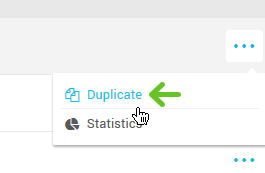
Click on three dots on the right-hand side of the scenario you’d like to reactivate and select "Duplicate".
-
Edit the title of the scenario, if desired. Click "Ok". The copy of the archived scenario will be added to your list of scenarios. You will continue to work with this copy.
-
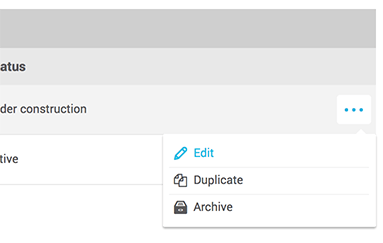
Find the copy of the original scenario in your list of scenarios. Click on the three dots at the right-hand side of the scenario in question and select "Edit".
-
If necessary, make the required modifications to your scenario.
-
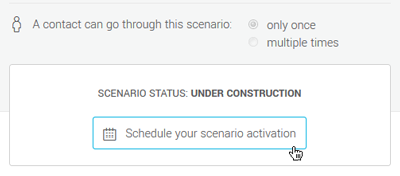
When you are ready to activate the scenario, click on "Schedule your scenario activation". Then, follow the instructions here.
- Click on "Quit" to leave the scenario set-up.
Reactivate an archived scenario
Last update: